Federal Deposit Insurance Corporation - FDIC-Insured - Backed by the full faith and credit of the U.S. Government


Federal Deposit Insurance Corporation - FDIC-Insured - Backed by the full faith and credit of the U.S. Government
Add your Callaway Bank Cards to your Mobile Wallet for quick, safe, and secure payment anywhere it’s available – online and in-person purchases are faster and more secure.
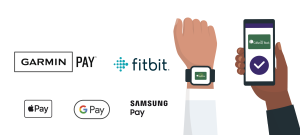
Digital Wallets generate an encrypted token (a temporary card number) that is used in place of your physical card/card number. The token number is not directly tied to your account or card and it can’t be used anywhere else. This means you keep your card information safe from bad actors.
When it’s time to check out online just use your Digital Wallet to make the payment. If in-person ensure your device is unlocked and hold it to the terminal. The payment terminal uses a Near Field Communications (NFC) signal in the device to transmit the data for payment. The device must almost touch the terminal for it to work.
Apple Pay©, Google Pay™, Samsung Pay™, Garmin Pay™, and Fitbit Pay™ are ready to use on your device – add it with Digital Banking or using your mobile wallet prompts.
Learn more with our blog post: Why pay with a Digital Wallet?
All trademarks, logos, and company names/products are the property of their respective owners.
Let’s say you get a new card because your old one is expiring. You will need to load your new card into your wallet and go through the authentication process by calling the bank again. Then you can delete your old card from your wallet.
No. Older phones are not compatible. Below are general rules of thumb to use: iPhones have to be iPhone 6 or newer. Samsung phones have to be Galaxy 6s or newer. Android Pay is available on all non-rooted Android devices (KitKat 4.4+). See your device manufacturer for more specific details.
No. It will look like any other debit or credit card transaction.
Your card numbers are not stored on the phone. The wallet app assigns each credit and debit card a virtual card number, sometimes referred to as a token, that is only associated with the digital wallet and mobile device you use. When you use your device to pay, the wallet doesn’t send your actual credit or debit card number with your payment. Instead, it uses the virtual card number to represent your account info. Your card then is never exposed and neither is your checking account. The apps require authorization via your fingerprint, passcode, or another security measure before completing the transaction. Additionally, to just have a card loaded the app will require the user to have their device security setup. Therefore if someone found your phone they couldn’t access your wallet without unlocking your phone.
$0. Nothing. Nada. The purchase will be the same amount as if you paid with your card. Please note that wireless data charges may apply and you should consult with your wireless carrier for more information.
 Ways to Bank
 Calculators
 Apply For A Loan